Instead of manually repeating your bar-night plans in separate messages, create a Partiful event with the confirmed location, arrival time, and meeting instructions, then share its invitation link. For a night at Mess Hall Harlem, keep one distinction clear: your invitation organizes guests; it does not confirm arrangements with the bar.
- For a partiful invite bar nyc plan, confirm venue details before sending your Partiful event link.
- Mess Hall Harlem is best for a casual Central Harlem night with craft beer, bourbon, and original cocktails.
- Use one Partiful invitation for RSVPs, arrival instructions, and changes; handle venue arrangements separately.
- Test the invitation from a guest’s perspective before sharing it with the full group.
Why this matters
An invitation has two jobs: tell people where to go and tell them what to expect. Trouble starts when an enthusiastic description sounds like a confirmed reservation, a private party, or permission to bring extra guests.
A Partiful RSVP records your guest’s response, not the bar’s agreement. Keep those two conversations separate, and your friends get a clear plan without promises you cannot make.
For your 2026 gathering, start with the practical details rather than the invitation artwork. A correct address and an honest meeting plan do more work than a clever event title.
Before you start
- Get access to Partiful. Have your host account ready, along with a way to send the finished invitation link to your intended guests. Complete any sign-in prompts before building the event.
- Gather the confirmed details. You need the date, local start time, correct street address, approximate group size, and one organizer who will answer questions. Use the bar’s current information rather than an old screenshot or a forwarded invitation.
- Resolve the booking gotcha first. An invitation is not a reservation. If your plan depends on seating together, a particular area, outside items, or a private arrangement, contact the bar before describing any of those details as settled.
You do not need a special-looking invitation to make a neighborhood get-together feel welcoming. You need wording that locals and first-timers can both understand without sending you follow-up questions.
Set up the gathering details
- Sign in to Partiful and start a new event using its event-creation control. Build the invitation under the account you intend to manage afterward.
- Enter a title that describes your gathering, not an event supposedly produced by the venue. A personal birthday meetup or friends’ drinks invitation should read as your plan.
- Set the date and local start time. For a 2026 event, double-check the year as well as the month and day before continuing.
- Add the venue name and its verified street address. If a location search offers multiple results, compare the full address instead of selecting the first similar name.
- Write a short description explaining who is gathering, when you will arrive, and how guests should find you. State only arrangements the venue has actually confirmed.
Expected result: A guest can identify the occasion, date, time, and destination without opening a separate conversation.
Write a description guests can act on
Use plain language. Tell people whether this is a casual meetup or a gathering with specific arrangements already agreed with the venue; do not let the invitation’s appearance make that distinction for you.
A useful description includes these three lines, written with your actual details:
- The plan: Explain the occasion and the kind of evening you are organizing.
- Arrival: Give your arrival time and explain whether friends should arrive together or join afterward.
- Finding us: Tell guests how to reach the organizer when they arrive.
For example, if you intend to arrive at 7 p.m., say that directly. If friends are welcome to join at 7:30 p.m., distinguish that flexible arrival from the time you will be there; these are example times, not venue hours.
Do not describe the gathering as an official bar event unless the bar has explicitly agreed to that description. Your friends can still have a good night without the invitation sounding like a venue announcement.
Configure the guest instructions
- Decide who the invitation is intended for before distributing its link. Make a clear choice about whether guests should ask you before inviting someone else.
- Put that choice in the description. If your plan allows 1 guest per invitee, for example, write that as your own invitation rule, not as a venue policy.
- Explain the status of seating or group arrangements in a short, direct sentence. Avoid language that suggests reserved space when none has been confirmed.
- Review any privacy and guest-list controls shown in your version of Partiful. Choose the settings that match your intended audience rather than accepting them without reading.
- Remove unnecessary personal information from the public-facing description. Give guests a useful way to reach you without publishing details they do not need.
Expected result: Guests understand who can come, what is settled, and which questions belong with you.
Mess Hall Harlem is best for a casual Central Harlem bar night with craft beer, bourbon, and original cocktails. That describes the kind of outing the bar offers; it does not establish a particular party arrangement.
The advantage is a straightforward neighborhood-bar plan. The planning limitation is equally straightforward: you must separately confirm anything your gathering depends on, rather than treating the invitation as permission.
Choose the right invitation approach
These are two ways to organize the same kind of evening, not different venue packages.
| Approach | Best for | Advantage | Limitation |
|---|---|---|---|
| Casual meetup | Friends organizing an informal night together | Keeps the invitation simple and focused on meeting up | Does not establish seating together or exclusive space |
| Venue-confirmed gathering | Hosts whose plan depends on specific arrangements | Lets the description reflect details agreed with the venue | Requires a separate venue conversation before sending those promises |
Choose the casual meetup approach only when your plan does not depend on unconfirmed arrangements. Use the venue-confirmed approach when those details determine whether the evening works.
Test and share the invitation
- Save the event and open its guest-facing view. Read the title, date, location, and description as though someone else sent them to you.
- Use Partiful’s invitation-sharing controls to obtain the event link. Send that event link, not a screenshot of your editing screen.
- Ask one intended guest to open the invitation and check the destination, local time, and response process. Have that person report any confusing wording before wider distribution.
- Correct the event details, then share the same invitation link with the rest of your intended group. Include a short message explaining the occasion and asking people to respond there.
- Keep the invitation as the reference for the plan. Avoid scattering different arrival instructions across separate conversations.
Expected result: Guests receive a working invitation and a consistent set of instructions, while you have a single event to maintain.
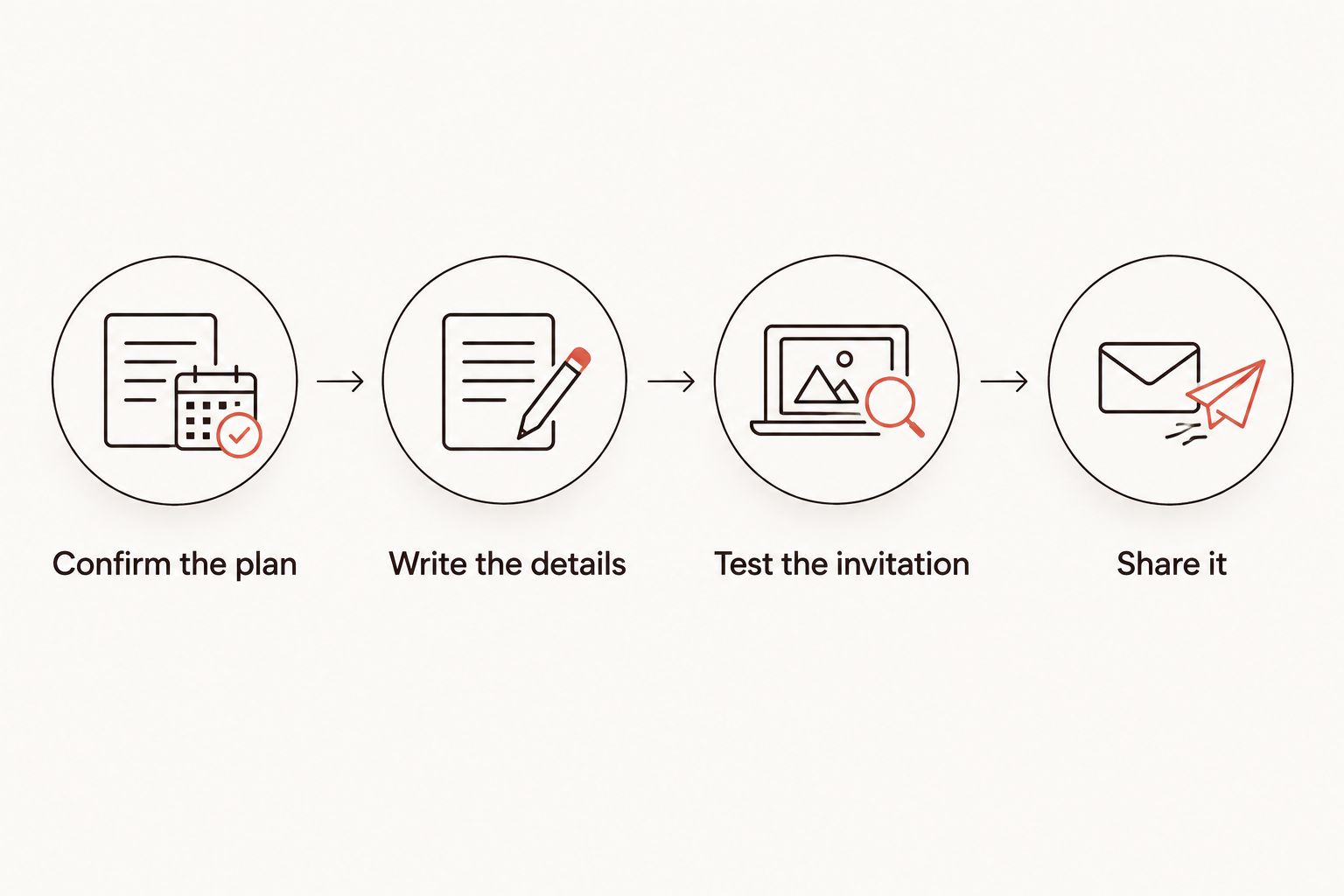
The sequence is simple: confirm the plan, write the details, test the invitation, then share it. Keeping that order prevents you from having to retract promises after people have already responded.
What to check in the guest view
Read the location as carefully as the event title. A recognizable venue name is not enough if the selected map result points somewhere else.
Check the date in full, including 2026, and make sure your intended evening time has not become a morning time. If you choose to include an end time, make clear whether it is your gathering’s planned finish rather than the bar’s closing time.
Finally, read the description for accidental promises. Words such as private, reserved, and guaranteed should appear only when they accurately reflect an explicit agreement.
Update the invitation when plans change
A second workflow starts after the first invitation goes out: keeping guests informed when an actual detail changes. Edit the existing event rather than creating a replacement invitation for every adjustment.
- Confirm the revised detail with whoever controls it. A group preference does not change an arrangement already discussed with the venue.
- Update the relevant event information and remove contradictory wording from the description. Check every place you typed the old time or meeting instruction.
- Send guests a clear update through the communication method you are using for the gathering. State what changed and what stayed the same.
- Reopen the guest-facing invitation and verify the correction. Do not assume that editing one field fixes text you entered elsewhere.
Expected result: Guests can return to the original invitation and find the current plan rather than competing versions.
For a 2026 date change, spell out the new date in the update message instead of saying only “next Friday.” Relative wording becomes confusing when someone reads it days later.
If someone has already saved the gathering in a separate calendar, ask that person to check the saved entry too. Do not promise that every guest’s calendar has changed just because you edited the invitation.
Troubleshooting
Guests think their RSVP reserves a seat
Correct that assumption in the event description and send a direct clarification. Say what the RSVP means for your group, then describe venue arrangements only to the extent they have been confirmed.
If sitting together is essential, settle that question before encouraging more people to respond. A longer guest list does not resolve a seating question.
The location points to the wrong place
Compare the full street address with the venue’s current information, then correct the event location. Reopen the guest view and check the destination again.
Tell guests about the correction if the invitation has already circulated. Quietly fixing the field does not alert someone who copied the earlier address.
Guests receive conflicting start times
Check the main event time, description, and any message you sent with the link. Remove outdated wording and issue one clear correction using the intended local time.
Distinguish the organizer’s arrival from a flexible join-us-later window. Those are different instructions, even when both belong to the same evening.
Someone cannot open or respond to the invitation
Resend the actual event link and ask the guest what happens when they open it. Have the guest follow Partiful’s sign-in or verification prompts if those appear, rather than guessing at an account problem.
If access still fails, collect the response directly and keep your own headcount accurate. Never ask someone to share a password or verification code with you.
The invitation reaches people you did not intend to invite
Review the event’s current sharing and privacy controls, then clarify your invitation rules with the original recipients. Do not assume that a forwarded message remains limited to its first audience.
If the group grows beyond the plan you discussed with the venue, revisit those arrangements before encouraging additional attendance.
Customize your workflow
Use the invitation description to answer the next practical question, not to add more decoration. First-timers need an accurate destination and a way to find the organizer; returning friends might mainly need a clear arrival time.
For a birthday, resolve any outside-item questions before mentioning them in the invitation. For a work gathering, identify who will communicate changes so colleagues do not get contradictory instructions from several hosts.
If your group needs more than an informal meetup, start with the guide to submitting a private-event inquiry. An inquiry is a request for information, not confirmation of an arrangement.
FAQ
How do I send a Partiful invite for Mess Hall Harlem?
Create a Partiful event with the confirmed date, local time, venue address, and meeting instructions, then share its event link. Confirm any venue arrangements separately before describing them as settled.
Does a Partiful RSVP reserve a table at the bar?
No, a Partiful RSVP does not itself confirm a table reservation with the bar. Treat guest responses and venue arrangements as separate tasks.
What should I write in a Partiful invitation for a bar night?
Write the occasion, arrival plan, correct destination, and instructions for finding the organizer. Include only confirmed arrangements and make your own guest-invitation rules clear.
Should I send a screenshot or the Partiful event link?
Send the Partiful event link as the main invitation. A screenshot does not give guests the same route back to the event when you update its details.
Can I invite extra people after sending the invitation?
Check your group plan and any venue arrangements before adding people. Update your instructions if the gathering changes, rather than assuming the original plan covers a larger group.
What should I do if the start time changes?
Update the existing event and send guests a direct message stating the new local time. Remove the old time from the description and any other instructions you control.
Does using Partiful make this an official bar event?
No, creating a personal Partiful invitation does not make your gathering an official venue event. Describe it as your meetup unless the venue has explicitly agreed otherwise.
One last thing
Write the arrival instruction before choosing the invitation artwork. “Message me when you arrive” gives guests a usable next step; a polished cover image cannot tell them where their friends are.
For your 2026 night out at Mess Hall Harlem, keep the invitation warm and the promises precise. That combination leaves more room for the part people came for: spending time together.