
Instead of chasing headcounts through a group chat, use a date-first RSVP workflow: verify the Tuesday event, follow its published registration instructions, then share the confirmed plan. For your trivia tuesday nyc plans in 2026, start with the specific date—not an assumption that every Tuesday follows the same schedule.
- For trivia tuesday nyc at Mess Hall Harlem, verify the dated event details before making group plans.
- Use the registration method published for your chosen event; a message asking about attendance is not confirmation.
- Keep trivia registration, team registration, and table arrangements separate unless the event explicitly combines them.
- Give one organizer responsibility for the headcount, confirmation, and updates.
Why this matters
A Tuesday trivia plan has several moving parts: the event date, the registration process, your team, and where everyone meets. Agreeing to go in a group chat settles only the last part of the conversation—not the booking.
Start at Mess Hall Harlem and look for current, dated event information. If the site directs you to an event listing or registration service, follow that route rather than choosing an unrelated search result with a similar name.
Mess Hall Harlem is best for locals and visitors who want a casual Central Harlem bar night. Its craft beer, bourbon, and original cocktails fit that setting; trivia participation and seating still need their own checks.
For a 2026 outing, use this guide to organize your RSVP without treating an old announcement, unanswered inquiry, or calendar reminder as a confirmed place. The useful outcome is simple: everyone knows what has actually been arranged.
Before you start
- Choose a specific Tuesday and appoint 1 organizer. Collect a working headcount and a way to reach everyone. Keep possible attendees separate from people who have committed.
- Have access to the published registration route. If it requires an account or email verification, use an account the organizer can access again. Keep any confirmation accessible on your phone.
- Check what registration covers. An RSVP, a team entry, and a table arrangement are different things unless the event instructions explicitly combine them. Resolve that distinction before inviting additional players.
Keep your planning note dated for 2026. A saved screenshot without an event date is a reference, not evidence that the same instructions apply to your Tuesday.
Set up your event check
Verify the date and organizer
- Open the venue’s current event information and find the Tuesday you intend to attend. Match the full date, venue name, and location before following registration instructions.
- Check whether the listing describes a particular event or a recurring series. A series announcement alone does not settle the arrangements for an individual date.
- Identify who handles registration. Follow the organizer or registration destination named in the current event information; do not choose a platform just because it appears in search results.
- Record the start time and any separate arrival or check-in instructions. Preserve the stated distinction rather than turning your preferred meeting time into the event’s official start.
Expected result: you have a dated event reference and know where the attendance instructions come from. If those details are unclear, your next action is to ask for clarification—not to tell the group that registration is complete.
Keep the reference with your planning note. That makes it easier to spot a mismatch later, especially when someone forwards a different listing or a screenshot from another week.
Check the participation rules
- Read whether registration applies to each person, a whole team, or the person organizing the group. Do not submit several entries until you understand the unit being registered.
- Check for stated team-size rules, arrival requirements, and instructions for people joining alone. Apply only the rules attached to your chosen event.
- Establish whether seating needs a separate arrangement. Look for an explicit statement rather than treating an RSVP acknowledgment as a table reservation.
- Note how the organizer wants changes handled. Save those instructions beside the event details so a headcount change does not send you back through search results.
Expected result: you can explain what your group needs to do and what an accepted RSVP actually means. For your 2026 plan, that explanation should refer to the selected event—not to how another trivia night works.
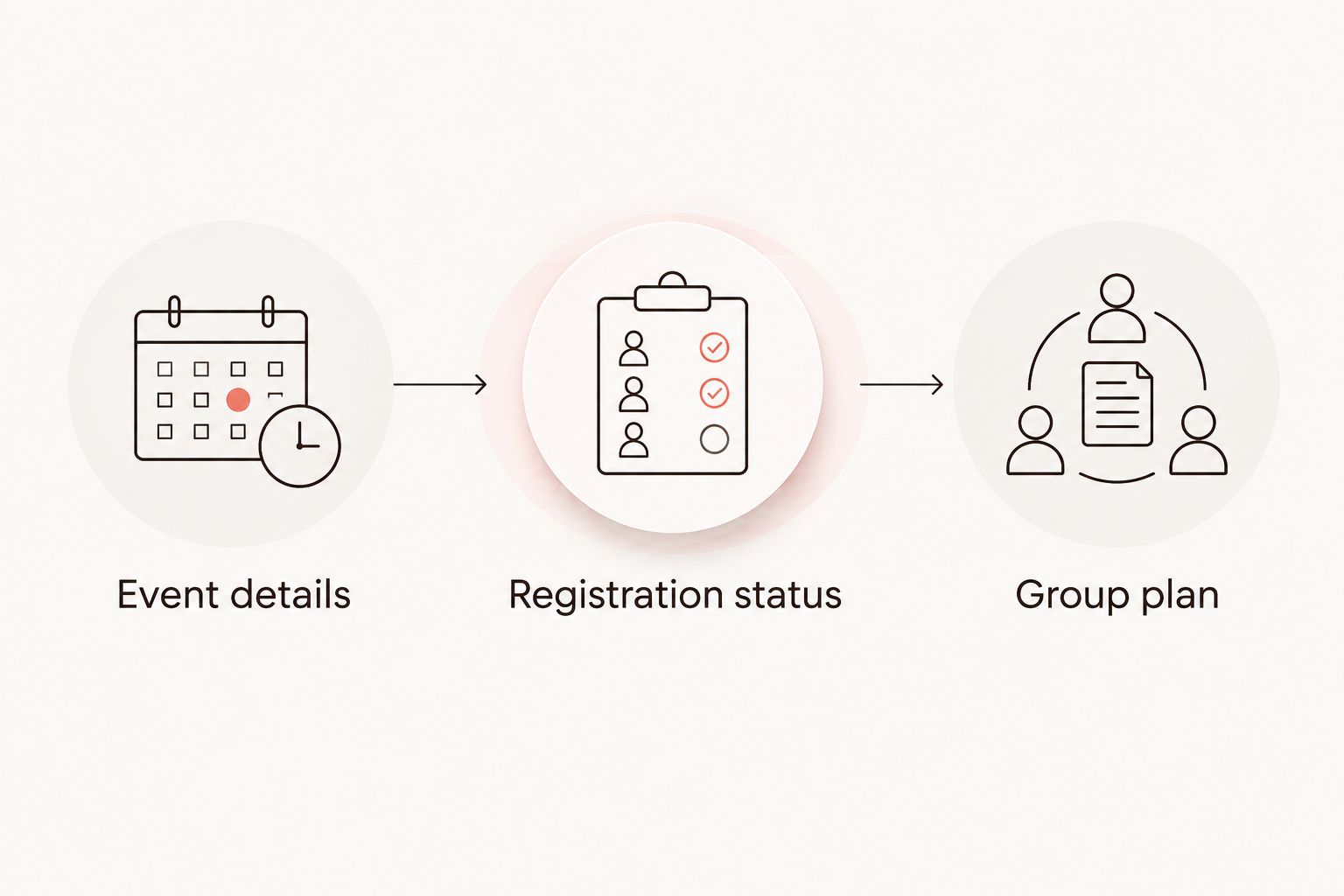
A useful planning note separates three headings: Event details, Registration status, and Group plan. Put facts under the right heading so an enthusiastic message from a friend does not become an accidental booking confirmation.
Complete your RSVP
Follow the event’s registration route
- Use the registration method specified for the selected date. If the instructions direct you to a form, complete that form; if they direct you to contact the organizer, use that contact method.
- Enter the details requested, using your confirmed headcount rather than a hopeful maximum. Supply a team name only if the process asks for one.
- Review the selected date and entry details before submitting. Check whether you are registering yourself, your group, or merely requesting information.
- Complete any verification step the registration process presents. Follow the actual on-screen instructions; do not assume submitting the first screen finishes the process.
- Save the resulting acknowledgment and read its wording. Distinguish a received request from an accepted registration, and keep any reference supplied by the organizer.
Expected result: you have a record of what you submitted and the status assigned to it. An unanswered message remains an inquiry, even when it contains every detail the organizer needs.
Do not describe a request as a confirmed RSVP. This is the point where avoidable confusion enters the group chat: someone sends a message, everyone assumes the plan is settled, and nobody checks the reply.
If registration is not required according to the current event instructions, record that instead. Your planning job then becomes following the stated attendance and check-in process, not creating a reservation that the event does not use.
Save the confirmation and share the plan
- Create a calendar entry for the actual event date. Keep the event start time distinct from your group’s agreed meeting time.
- Add the registration status and relevant arrival instructions to the calendar notes. Keep private account details and personal confirmation references out of a widely shared invitation.
- Send one final group message with the date, meeting point, agreed arrival time, and anything each attendee must do individually.
- Ask everyone to acknowledge the plan. If an attendee has a separate registration task, ask them to confirm completion rather than assuming the shared invitation handled it.
- Set 2 reminders: one to recheck the event instructions and one for your departure. Choose times that fit your travel and the published arrival requirements.
Expected result: the organizer holds the registration record, while each attendee knows where to go and what remains their responsibility. A calendar invitation coordinates people; it does not replace the event’s attendance process.
Keep the final message short enough to read on a phone. Put the essential action first, then the meeting details, rather than burying a required individual RSVP beneath a discussion about drinks.
Update your RSVP when the group changes
The adjacent workflow is a headcount update. Use it when a friend joins, someone drops out, or the group wants to attend a different Tuesday.
- Recheck the original instructions for amendments. Use the stated update route instead of creating another entry by default.
- Identify the existing registration when requesting a change, using whatever reference the organizer supplied. State the change clearly and avoid sending competing requests from several attendees.
- Wait for the updated status before telling the group the change is accepted. Keep the original record until the replacement or amendment is clear.
- Update the calendar and group message together. Remove outdated details so late readers do not follow the wrong plan.
Expected result: the group’s shared plan matches the latest accepted arrangement, rather than the first headcount discussed.
Choose how to coordinate based on the event’s rules, not just convenience:
| Coordination approach | Best for | Advantage | Limitation |
|---|---|---|---|
| One organizer coordinates the group | Events that accept a group entry | Keeps updates and confirmation together | The organizer must communicate every change |
| Each attendee handles their own entry | Events requiring individual registration | Each person controls their own submission | The group must check that everyone completed it |
These are coordination choices, not claims about which registration method the venue uses. Follow the dated event instructions whenever they differ from your preferred approach.
Troubleshooting
You cannot find instructions for your Tuesday
Check that you are reading a dated event announcement rather than a general venue description. Use a contact route published by the venue to ask whether the event is taking place and how attendance works; keep the group plan provisional until that is resolved.
You submitted details but have no clear confirmation
Review the final screen, your registration account if one was used, and the email account associated with the submission. Check filtered folders before sending another request, then ask the organizer to clarify the status if the acknowledgment is ambiguous.
Your RSVP does not mention a table
Do not infer seating arrangements from silence. Ask whether the registration covers trivia participation only and whether any separate seating instructions apply, then share that answer with the group.
Someone wants to bring another player
Check the event’s team and amendment instructions before agreeing. If approval is required, request the change through the published route and wait for the answer rather than treating the extra player as already included.
The group has conflicting event details
Compare the full dates and the source of each message. Use the current dated information from the venue or named organizer, and replace the outdated calendar entry instead of leaving both versions circulating.
Customize your workflow
For a repeat outing, reuse your checklist—not your old confirmation. Each new Tuesday needs its own event check and whatever registration the current instructions require.
For a 2026 work outing, collect commitments before submitting a group request. Ask colleagues privately about attendance needs, share relevant questions with the organizer through the published route, and keep personal information out of the general chat.
For a date night, agree on whether trivia is the main plan or an optional part of the evening. That conversation matters: a casual drink together and a game with fixed instructions call for different expectations.
For a solo visit, check the event’s participation rules before assuming you can join an existing team. You can still make a clear plan without recruiting a group first, provided you follow the event’s stated arrangements.
Mess Hall Harlem’s neighborhood-bar setting suits a casual night out; it does not replace event-specific confirmation. Keep the hospitality plan and the registration task separate, and neither needs to become complicated.
FAQ
How do I RSVP for Mess Hall Harlem’s Tuesday Trivia night?
Verify the specific Tuesday in the venue’s current event information, then follow the registration method published for that date. Keep the acknowledgment and check whether it confirms participation or only receipt of your request.
Do I need an RSVP for trivia tuesday nyc?
Follow the attendance requirements of the specific event you choose. Do not assume that another venue’s registration process applies, or that a recurring announcement establishes the rules for every Tuesday.
Does a trivia RSVP reserve a table?
A trivia RSVP establishes only what its confirmation explicitly states. Check whether seating is included or requires a separate arrangement before telling your group a table is reserved.
Can I register my whole trivia team at once?
Register a whole team only when the event instructions allow a group entry. If individual registration is required, each attendee must complete the stated process.
What should I do if I do not receive an RSVP confirmation?
Check the submission status, the account used, and your email’s filtered folders before submitting again. If the status remains unclear, ask the organizer to confirm whether the original request was received and accepted.
Can I attend Tuesday trivia by myself?
Check the selected event’s rules for individual participation and joining teams. Do not assume team matching is provided unless the current event instructions say so.
How early should my group arrive for trivia?
Use the arrival or check-in instructions published for your selected event. Set your group’s meeting time separately so nobody mistakes it for the official start time.
One last thing
A calendar invitation confirms that someone received a calendar invitation. It does not confirm that the event organizer received—or accepted—an RSVP.
Before leaving, check 3 details against your saved record: the event date, the registration status, and the arrival instructions. Then put the planning away and enjoy the night; the point of organizing well is spending less time organizing once everyone arrives.