
Instead of repeating the same searches every Tuesday, search Meetup for the bar’s name, verify the specific event date and venue, and save the confirmed details in your calendar. To find Mess Hall Harlem’s Tuesday Trivia night, use the steps below without treating an old listing or a matching event title as confirmation.
- For a trivia night meetup nyc search, verify the dated Meetup event before making plans.
- Mess Hall Harlem suits locals and visitors seeking a casual Central Harlem bar with craft beer, bourbon, and cocktails.
- Match the event date, venue, and organizer instructions; a familiar title is not enough.
- Keep your Meetup response separate from any table or team arrangements.
Why this matters
A Tuesday trivia search has two separate jobs: finding a relevant event and confirming that it matches the night you intend to attend. A result mentioning the right neighborhood does not complete both jobs.
Mess Hall Harlem is a neighborhood bar in Central Harlem serving craft beer, bourbon, and original cocktails. Mess Hall Harlem is best for locals and visitors seeking a casual neighborhood bar in Central Harlem. That describes the venue, not confirmation of a particular Meetup event.
For a 2026 outing, start with a dated event page rather than a search preview. Then check the venue details and attendance instructions before inviting anyone else. This guide explains that verification workflow; it does not establish a current trivia schedule or an official Meetup organizer.
Before you start
- Have your intended Tuesday ready. Write down the full calendar date, including 2026, and decide whether you are attending alone or coordinating with friends.
- Have browser access and your Meetup sign-in details ready. Search first, then sign in when the event’s participation process requires it. Use an account whose messages you can check.
- Watch for the organizer-versus-venue distinction. An event mentioning a bar does not establish that the bar operates the Meetup group. Read who is organizing the gathering and what their attendance instructions actually cover.
Keep your calendar nearby, but do not create a repeating Tuesday entry yet. First establish the details of one specific occurrence; repetition belongs later, after the schedule is confirmed.
Event search
Find the relevant event page
- Open Meetup and enter the full venue name in its search interface. Start narrowly rather than browsing every trivia gathering across New York City.
- Set the search location to New York City when a location control is offered. Check the displayed location rather than assuming your device has supplied the right city.
- Search again using the venue name with
trivia, then tryHarlem Tuesday trivia. Change one part of the query at a time so you can see which wording produces relevant results. - Open a dated event result rather than stopping at a group description. A group’s general subject does not establish where its next gathering takes place.
- Keep the candidate page open while you check its date, venue, and organizer. Do not send the first promising search result straight to your friends.
Expected result: You have a specific event page to inspect, or you know that your search has not yet produced a verified match. An empty search is a reason to check another source, not evidence that an event is canceled.
Choose the right search route
These are search methods, not separate trivia recommendations. Each serves a different purpose, and neither replaces checking the underlying event page.
| Search route | Best for | Advantage | Limitation |
|---|---|---|---|
| Search within Meetup | Finding a dated event and its organizer | Keeps discovery close to the participation instructions | A broad query can mix neighborhoods and venues |
| Search through a search engine | Finding pages missed by your first query | Lets you combine the venue name with specific terms | A preview can describe an old event |
For the second route, enter the venue name followed by Meetup Tuesday trivia in your search engine. Open the result and inspect the page itself. A search preview is a lead, not an event confirmation.
Date and venue verification
Check the occurrence you intend to attend
- Read the event’s full date. For your 2026 plan, confirm the year as well as the weekday; a Tuesday label alone does not identify your intended outing.
- Read the venue name and address on the event page. Compare them with the venue’s own information, not just a map preview or a familiar neighborhood name.
- Separate the organizer’s meeting time from any stated trivia start time. If the listing gives both, record both with clear labels rather than collapsing them into one appointment.
- Read the event description for meeting instructions, team arrangements, and any action the organizer requests before attendance.
- Look for contradictory details. If the title names one venue but the description names another, resolve that conflict before responding or traveling.
Expected result: You can state which Tuesday you are considering, where the group is meeting, and what the organizer asks you to do. If one of those points remains unclear, pause the plan at that point.
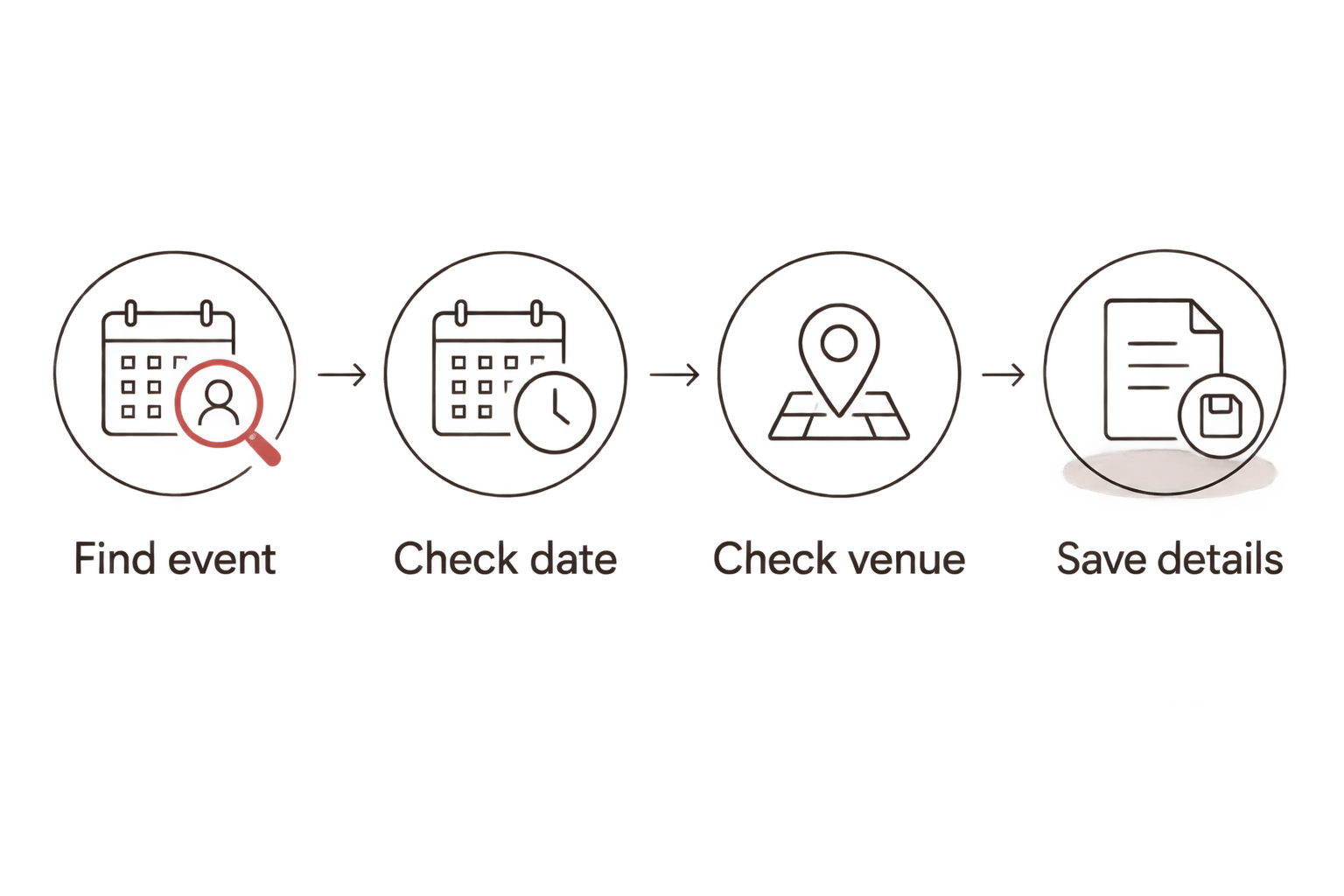
The core sequence is simple: find the event, check its date, check its venue, and save the details only after those checks agree. Keep those tasks separate so an attractive title does not rush you past verification.
Attendance response
Follow the listing’s actual instructions
- Read the participation instructions on the event page before selecting an attendance response. Follow the wording displayed there rather than looking for a button described in an unrelated tutorial.
- Sign in when prompted and complete the requested response. Stop if the page asks a question you cannot answer accurately, such as a final group size you have not confirmed.
- Check the resulting page or account record for your response. Returning to the search results is not a substitute for checking what you submitted.
- Read any organizer message associated with the event. Keep personal meeting instructions separate from general venue information.
- Resolve seating or team questions separately when the listing does not address them. Do not interpret a Meetup response as a table reservation or a complete team arrangement.
Expected result: You know what response you submitted and which practical questions still need an answer. You have not promised friends seating, team placement, or entry terms that the listing never stated.
If a venue-specific question remains, use the contact page to find the appropriate contact route. Ask one clear question about your intended date rather than requesting a general explanation of every event policy.
A useful inquiry names the date, explains whether you are joining a Meetup gathering, and asks about the unresolved point. For example, ask whether your group needs a separate arrangement rather than assuming the organizer has handled it.
Calendar setup
Save one confirmed outing
- Create a calendar entry for the specific date you verified. Include
Tuesday triviaand the venue name in the title so the appointment makes sense outside this guide. - Copy the confirmed address into the location field. Add the event-page reference to your private calendar notes so you can reopen the source later.
- Record the organizer’s meeting time and the trivia start time separately when both are stated. Do not invent an end time if the listing does not provide one.
- Choose reminders that fit your routine. Suggested personal settings are 1 day before for a details check and 2 hours before for a final message check; these are planning choices, not organizer requirements.
- Send friends the dated event page and your agreed meeting plan. Ask each person to follow the organizer’s instructions rather than assuming your response covers everyone.
Expected result: Your calendar contains one identifiable outing with a source you can revisit. Your friends receive the same event details instead of a chain of screenshots with different dates.
For a 2026 calendar entry, put the full date in any shared message as well. A message saying only “next Tuesday” loses its meaning when someone reads it later.
Repeat-visit workflow
Plan another Tuesday without copying assumptions
If you want to return another week, repeat the verification process for that occurrence. A recurring personal reminder is not confirmation of a recurring public event. Keep the distinction visible in your calendar.
Use a reminder titled Check Tuesday trivia until the next date is confirmed. Once you find the corresponding event, replace the reminder with the dated outing and follow that event’s participation instructions.
This approach is best for regular visitors who want a repeatable routine without copying stale details. Its drawback is the extra check each week, but that check is the point: it prevents last week’s meeting time or organizer instructions from silently becoming this week’s plan.
For repeat visits during 2026, keep a short personal note of the search terms that worked. Save the method, not an assumption that every future Tuesday follows the same pattern.
Troubleshooting
No matching event appears
Remove Tuesday from the search, then try the venue name with trivia. Check the city setting again. If no dated match appears, use the venue’s contact route to ask where current event information is published; do not select a different Harlem event just because its title looks close.
The result shows a past date
Return to the organizer’s event information and look for the occurrence you actually intend to attend. Keep a past event as background only. Do not edit its date in your calendar and treat that change as confirmation of a new gathering.
The venue details disagree
Compare the event title, description, and location information. Ask the organizer to resolve the conflict before you travel. A familiar bar name in one field does not cancel out a different address elsewhere on the page.
You cannot tell whether your response was recorded
Reopen the event while signed into the same account you used to respond. Check the account or event page for the recorded response, and follow any on-screen instructions. Avoid creating a second account merely to try again; that makes your own attendance harder to track.
Your friends assume you reserved for everyone
Send a correction with the dated event reference and the organizer’s instructions. State exactly what you completed and what each person still needs to do. Keep team coordination separate from any venue arrangements that require their own confirmation.
Customize your workflow
Build the plan around what you need from the evening. For a solo outing, prioritize the organizer’s meeting instructions and ask how individual attendees should join. For friends, agree who is coordinating and which questions need answers before anyone travels.
Mess Hall Harlem’s craft beer, bourbon, and original cocktails give your group several drink categories to consider, but they do not establish trivia rules. Keep the bar visit and the organized gathering as two related parts of the same night.
The best next step is to resolve the one unanswered question that changes your plan. That might be the correct date, how to respond, or whether friends need separate arrangements. More searching is not useful when a direct organizer question would settle the issue.
FAQ
How do I find a trivia night meetup NYC listing for this bar?
Search Meetup using the full venue name, then add trivia and check the New York City location setting. Open a dated event page and verify its venue, date, and organizer instructions before making plans.
Does this guide confirm a Tuesday trivia event in 2026?
No, this guide explains how to find and verify a dated listing. Confirm your intended 2026 occurrence through current event information before responding or traveling.
What should I do if I cannot find the event on Meetup?
Try the venue name without Tuesday, then search the venue name with Meetup and trivia through a search engine. If no dated match appears, ask the venue where current event information is published.
Does responding on Meetup reserve a table for my friends?
Do not treat a Meetup response as a table reservation unless the event instructions explicitly say it includes one. Check group arrangements separately and ask each friend to follow the organizer’s participation instructions.
Can I attend a Meetup trivia gathering by myself?
Check the specific event’s instructions for individual attendees. Ask the organizer how solo participants should meet the group or join a team rather than assuming a team will be assigned.
Should I make the trivia event repeat every Tuesday in my calendar?
Save one confirmed occurrence first. Use a separate reminder to check future dates instead of treating a repeating calendar entry as proof that the event repeats.
What should I check again before leaving for trivia?
Reopen the dated event page and check the venue, meeting time, and organizer messages. Use that current information rather than relying only on the calendar entry you created earlier.
One last thing
Set aside 10 minutes for a final details check before you start getting ready. That is a personal planning recommendation, not an event rule. Use the time to reopen the listing, read organizer messages, and send friends one clear meeting plan.
The useful thing to save is not just an event title. Save the dated source and the unanswered questions alongside it; that turns a search result into a plan you can actually follow.