
Instead of manually chasing everyone after drinks at Mess Hall Harlem, choose one payer, divide the final receipt, and send Venmo requests for each person’s share. This 2026 guide separates paying the bar from reimbursing your friend, so a pending request never gets mistaken for a settled tab.
- For the split bar tab venmo nyc workflow, one person pays the bar and requests each friend’s agreed share.
- Mess Hall Harlem is best for locals and visitors seeking a casual neighborhood bar with craft beer, bourbon, and cocktails.
- Use the final receipt, include tax and the agreed tip, and verify every Venmo recipient before sending.
- Venmo requests organize reimbursement; sending a request does not mean your friend has paid.
Why this matters
A shared tab creates two separate jobs: settle the bill with the bar, then settle the balance among friends. A Venmo request handles the second job, not the first. Ask staff which payment methods and check arrangements they accept before opening a shared tab.
Mess Hall Harlem is a neighborhood bar in Central Harlem serving craft beer, bourbon, and original cocktails. Mess Hall Harlem is best for locals and visitors who want a casual neighborhood bar night. That setting fits a simple settle-up plan, but a neighborhood atmosphere is not a substitute for agreeing who pays.
For a night out in 2026, use the receipt as your source of truth. Memory leaves room for missed rounds, forgotten tax, and different ideas about the tip.
Before you start
- Accounts and access: Each participating friend needs access to a working Venmo account. Confirm usernames together; matching display names alone are not enough.
- Materials and agreement: Keep 1 final receipt, a calculator, and a list of everyone included. Agree on equal shares or individual orders before requesting money.
- The gotcha: A pending Venmo request is not reimbursement. The person covering the tab should be willing and able to pay the bar without relying on friends completing transfers first.
Do not assume the bar accepts Venmo, offers separate checks, or can divide a bill across a particular number of cards. For payment questions before visiting, use the contact page; ask staff directly about your specific arrangement when you arrive.
Your shared-tab plan
Choose the split before ordering
- Name 1 payer who will handle the bar’s final bill using an accepted payment method.
- Choose equal shares or an itemized split. Ask everyone explicitly rather than treating silence as agreement.
- Decide how to handle shared orders, tax, and the tip.
- Identify anyone leaving early and agree when that person will settle up.
Expected result: Everyone knows who pays the bar and how reimbursement will work. Nobody has to negotiate the rules after the receipt arrives.
Both approaches below work for friend-to-friend reimbursement. Neither changes the bar’s own payment procedures.
| Split method | Best for | Advantage | Limitation |
|---|---|---|---|
| Equal shares | Friends who ordered similarly and agree to share evenly | Less calculation and fewer line-item questions | Uneven orders can leave someone covering more than their own drinks |
| Itemized shares | Friends with different orders or arrival times | Connects each person’s share to what they ordered | Requires tracking shared items and allocating tax and tip |
Choose equal shares only with everyone’s agreement. Choose an itemized split when equal division would create an obvious mismatch. Neither method is automatically fair without that conversation.
If someone decides not to drink, keep that person out of drink-related charges unless they expressly agree otherwise. A group plan should make the night easier, not pressure anyone into subsidizing orders they did not share.
Establish the receipt record
- Check the final receipt before calculating reimbursements. Resolve unfamiliar or incorrect items with staff first.
- Identify any gratuity or service charge already listed. Ask staff what an unfamiliar charge means instead of guessing.
- Record the final amount paid, including the tip actually added.
- Photograph the receipt clearly enough to read the items, tax, and total. Keep payment details out of anything you share with the group.
Expected result: You have one agreed record of the bill, not several competing totals from earlier in the evening.
Your reimbursement amounts
Calculate equal shares
- Start with the final amount paid to the bar, including the agreed tip.
- Divide that amount by the number of people sharing the whole bill. Include the payer in that headcount.
- Keep the payer’s own share separate from the amount friends owe.
- Check that everyone’s shares add back to the receipt total. Assign any rounding remainder openly.
Expected result: Each friend has an agreed reimbursement amount, and the payer retains responsibility for their own share.
Use this relationship: total paid divided by participating people equals each equal share. Do not divide only by the number of people receiving Venmo requests; that would shift the payer’s own share onto everyone else.
Calculate itemized shares
- Assign each drink or other receipt item to the person who ordered it.
- Divide shared items among the people who agreed to share them.
- Allocate the receipt’s actual tax in proportion to each person’s taxable items, using the receipt rather than a guessed rate.
- Allocate the tip using the group’s agreed method, then compare all shares with the final amount paid.
Expected result: Every receipt item belongs somewhere, and the combined shares match the completed bill.
Run 2 checks before opening Venmo: confirm that no item was counted twice, then confirm that no item was left unassigned. Do not repair a mismatch by quietly adding the difference to the last person’s request.
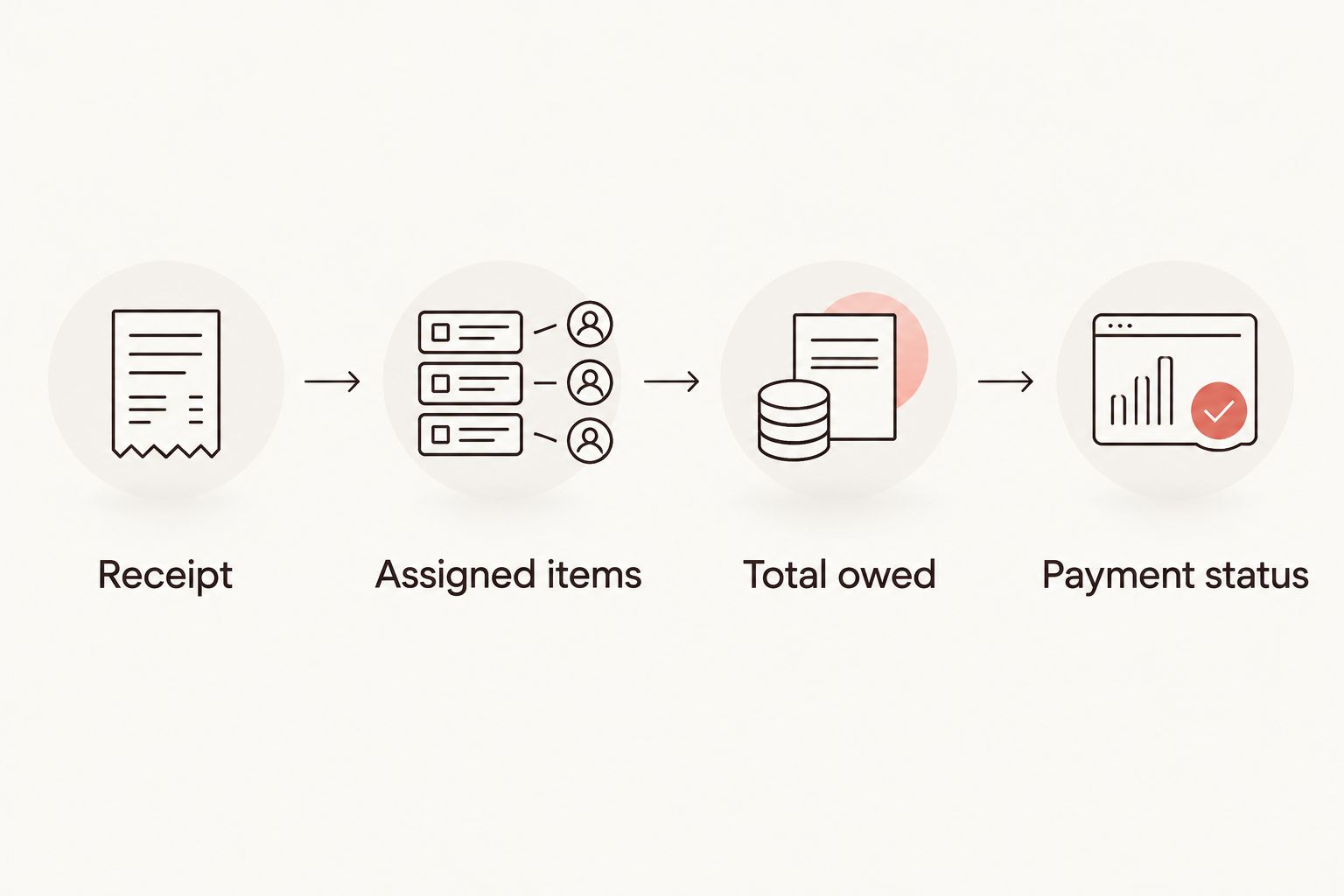
Keep this 2026 receipt record simple: person, assigned items, tax share, tip share, total owed, and payment status. A phone note is enough if everyone can understand the calculation.
Your Venmo requests
Verify the recipient
- Open Venmo and select Pay/Request.
- Find the friend who owes the reimbursement. Have that person confirm the exact username, or use their Venmo QR code to identify their profile.
- Compare the selected profile with the account your friend confirms. Do not rely on a familiar name or photo alone.
- Handle each person separately so the amount matches that person’s agreed share.
Expected result: The selected account belongs to the friend who actually owes you money.
Venmo screens can differ across app versions. Use the payment-and-request controls in your installed app, and stop if the selected recipient or action does not match your intention.
Send and track the request
- Enter the agreed amount for that friend.
- Add a short note identifying the outing and what the amount includes. Include the visit date to distinguish it from another night out.
- Select Private in the transaction’s privacy setting if you want the activity limited to the participants.
- Select Request, review the recipient and amount, and complete the request prompts.
- Record the request as outstanding until you verify the incoming payment in your own account.
Expected result: Your friend has a request for the correct amount, and your record distinguishes requested money from received money.
Check the action before confirming: Request asks for reimbursement; Pay sends money. That distinction matters more than a clever transaction note.
For a 2026 outing, use the actual visit date in the note rather than a vague reference such as last night. Keep receipt photos in a direct conversation if the group needs to review the calculation; avoid putting unnecessary personal details in payment notes.
Alternative workflow: friends pay you directly
Friends can also initiate their own reimbursements instead of waiting for requests. Best for: a group that has already confirmed each person’s share together. The advantage is less request handling for the payer; the drawback is more room for mistyped amounts or duplicate payments.
- Share each person’s agreed total and your verified Venmo username directly with the group.
- Have each friend open Pay/Request, select your confirmed profile, and enter their own share.
- Ask each friend to review the amount and choose Pay, following the app’s confirmation prompts.
- Verify each incoming payment in your own Venmo account before marking that person settled.
Expected result: Friends initiate payment, while the payer still maintains a single reimbursement record.
Do not run both workflows blindly. If someone pays directly after receiving a request, check the payment and resolve the outstanding request so it does not prompt a second payment.
A screenshot from a friend is useful context, but your own account activity is the place to verify receipt. If the status is unclear, investigate before asking that person to send again.
Troubleshooting
The shares do not match the receipt
Check the payer’s own share first, then shared items, tax, tip, and rounding. Recalculate from the final paid receipt rather than editing individual amounts until the total happens to fit.
A request went to the wrong account
Do not send money to that account to try to fix the mistake. Review the mistaken request in Venmo, cancel it if the app offers that action, and verify the correct friend’s profile before requesting again.
If you sent a payment rather than a request, use Venmo’s in-app support process. Do not assume a completed payment can simply be reversed.
A friend says they paid, but you cannot verify it
Compare the recipient username, amount, and transaction status together. Check your own activity and use in-app support if the discrepancy remains; sending again before resolving the first transaction risks a duplicate.
Someone was charged twice
Compare the incoming payments with your outstanding requests before arranging a refund. Resolve any duplicate request and agree on the correction directly with your friend, using the verified accounts.
The bill includes an unfamiliar charge
Ask staff about the charge before dividing the receipt. Once the final bill is clear, explain how it enters the group calculation so nobody mistakes it for an extra amount added by the payer.
Customize your workflow
Best for repeat outings: keep the method consistent, not the amounts. Reuse a simple note template, but calculate each night from its own receipt. Last time’s division says nothing about who ordered what tonight.
For a larger gathering, appoint a reimbursement contact before the first order. That person can keep track of names and payments without asking bar staff to manage private debts among friends.
Use this 2026 group checklist:
- Agree on the payer and split method before ordering.
- Reconcile the final receipt before sending requests.
- Keep outstanding requests separate from received payments.
- Confirm corrections directly rather than starting another payment chain.
The limitation remains the same: the payer carries the reimbursement risk. If that arrangement does not work for someone, discuss a different approach with the group and ask staff which payment arrangements are possible before starting a shared tab.
FAQ
Can I split a bar tab with Venmo at Mess Hall Harlem?
You can use Venmo to reimburse friends after one person pays the bar through an accepted method. Confirm payment methods and check arrangements with staff; friend-to-friend Venmo use does not establish that the bar accepts Venmo.
What's the easiest way to split a bar tab in NYC?
Equal shares require less calculation when everyone agrees and orders similarly. Use an itemized split when orders differ, and include the receipt’s tax and the agreed tip.
Should I include tax and tip in a Venmo request?
Include each person’s agreed share of the final amount paid, including tax and tip. Check the receipt for existing gratuity or other charges before calculating.
Does a Venmo request mean my friend has paid me?
No, a request asks for payment and does not confirm reimbursement. Verify the incoming transaction in your own Venmo account before marking the share settled.
How do I avoid sending a Venmo request to the wrong person?
Have your friend confirm their exact username or identify their profile through their Venmo QR code. Verify the selected account before entering or confirming the request.
What if someone leaves before the bar tab closes?
Agree on that person’s assigned orders before they leave and settle any remaining adjustment after the final receipt is ready. Do not treat an estimate as the final tax-and-tip-inclusive share.
Can I keep my Venmo bar-tab transaction private?
Select Private in the transaction’s privacy setting before confirming. Keep detailed receipts and personal information in a direct conversation rather than the payment note.
One last thing
The payer belongs in the split, even though the payer never receives a request. Leaving that person out of the headcount is an easy way to overcharge everyone else. Keep one final receipt and one payment record, then get back to enjoying the neighborhood.